Scaling Proxy-Based Automation in 2026: Why CAPTCHA Handling Matters
In real automation environments, verification is not a rare inconvenience — it is part of the infrastructure. For proxy users and automation teams, CAPTCHA handling should be a dedicated layer, not a last-minute fix.
The short answer
Proxy-based automation in 2026 needs more than IP rotation. It needs a complete stack: proxies for network identity, antidetect browsers for digital identity, automation tools for execution, CAPTCHA handling to keep workflows moving when verification appears, and monitoring to show what needs fixing. Treat CAPTCHA not as a random obstacle but as a measurable infrastructure layer — and design every layer to support the others.
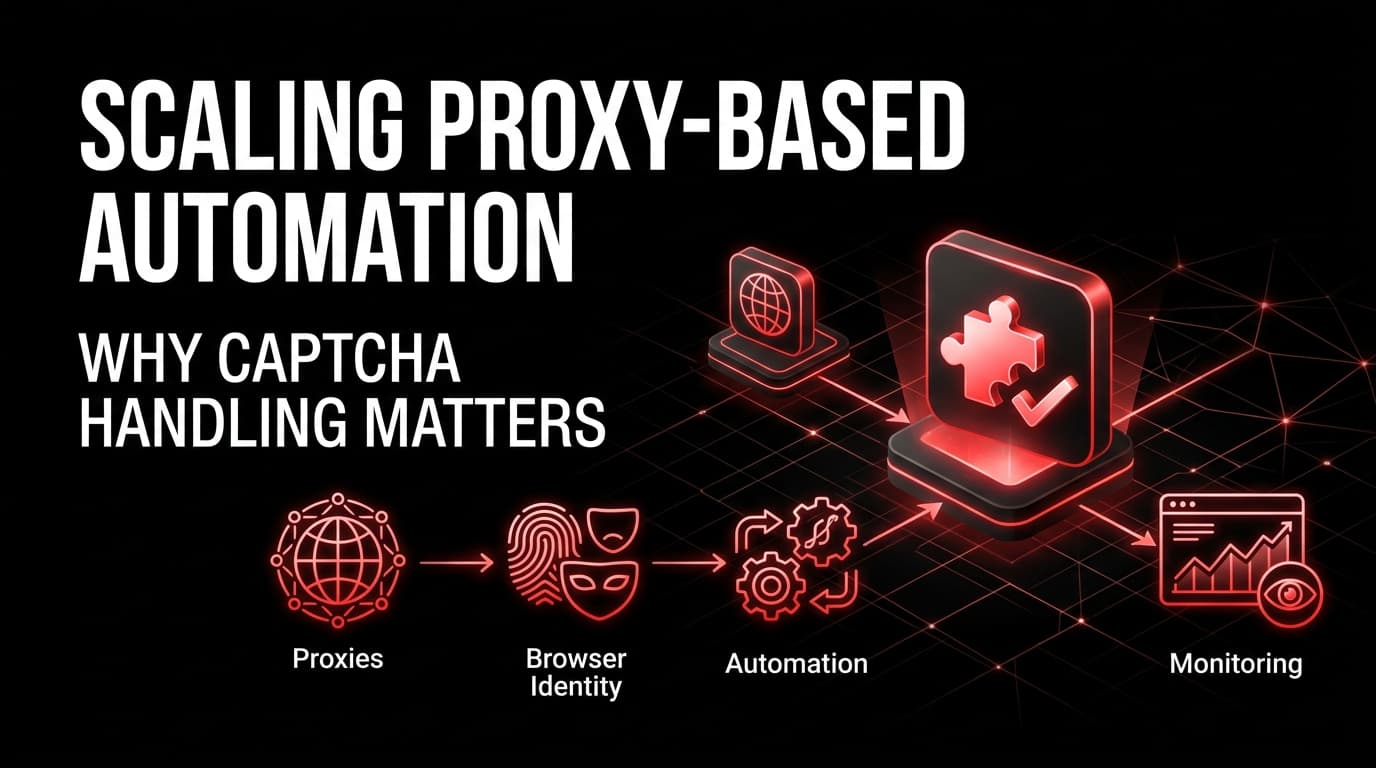
Automation has become a core part of how modern digital teams work. Affiliate marketers use it to monitor offers, landing pages and traffic flows. Traffic-arbitrage teams use it to test redirects, check campaign paths and validate GEO-specific experiences. SEO teams use it to monitor search results, indexing and technical issues. Developers use it for testing, scraping, monitoring and repetitive browser tasks. Multi-accounting teams use it to separate sessions, manage profiles and keep operations organized.
As these workflows grow, one challenge appears repeatedly: verification. A script may work in testing but fail across many sessions. A proxy setup may look stable at low volume but trigger more checks as traffic increases. An antidetect profile may keep accounts separated, yet it cannot prevent every CAPTCHA, Turnstile or challenge page.
For proxy users and automation teams, CAPTCHA handling should not be treated as a last-minute fix. It should be planned as a dedicated layer inside the automation stack.
Automation is no longer just a script
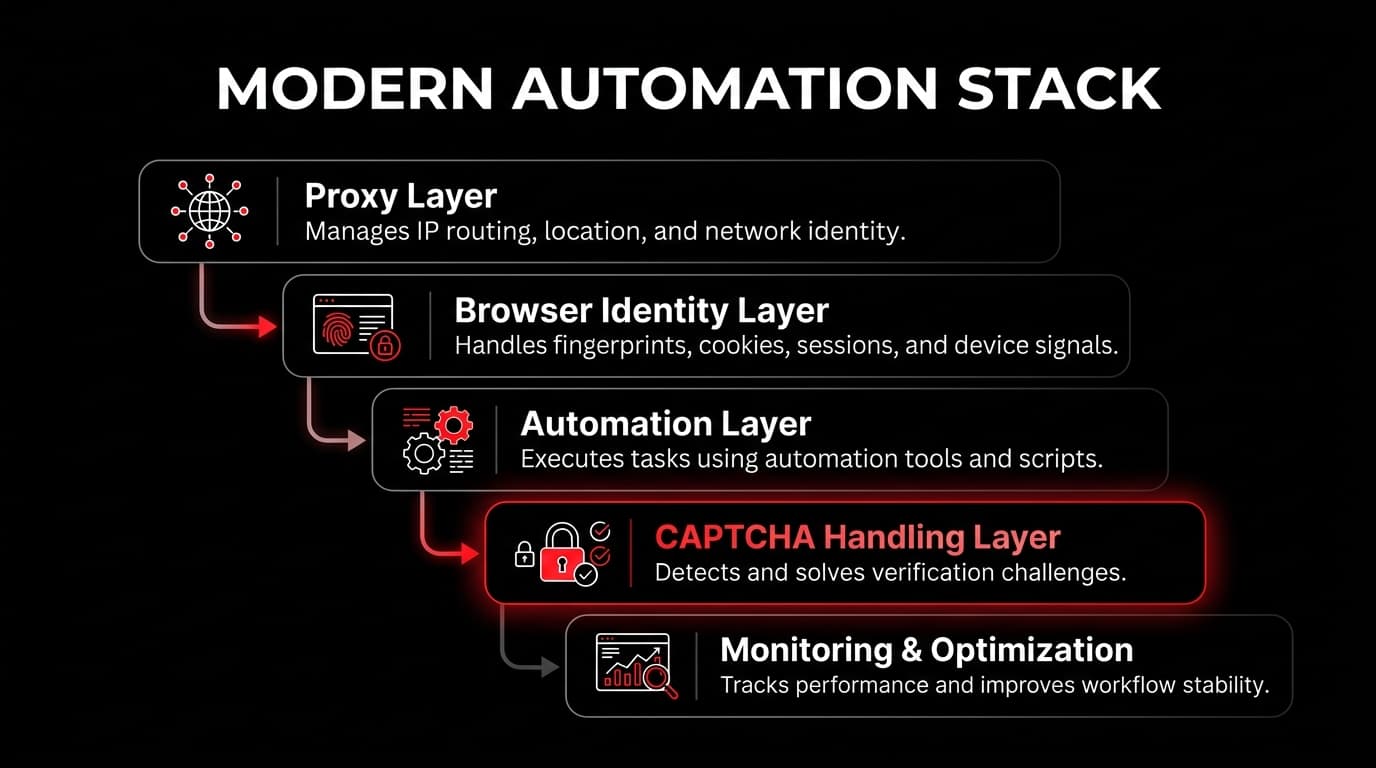
Many automation projects begin with a simple structure: a browser automation tool, a proxy, and a script that repeats a task. That is enough for basic testing, but it becomes fragile as the workflow grows. Modern automation usually depends on several connected layers:
| Layer | Purpose |
|---|---|
| Proxy layer | Controls IP routing, GEO targeting, and network identity. |
| Browser identity layer | Manages fingerprints, cookies, sessions, and device signals. |
| Automation layer | Executes tasks through Selenium, Playwright, Puppeteer, or custom tools. |
| Verification layer | Handles CAPTCHA, Turnstile, reCAPTCHA, and challenge pages. |
| Monitoring layer | Tracks failures, latency, success rate, and cost. |
| Decision layer | Adjusts retries, routing, and workload based on performance signals. |
Each layer affects the others. A proxy influences how trustworthy a session looks; a browser profile affects whether a platform sees the session as consistent; automation speed can trigger extra checks; verification handling decides whether the workflow continues or stops. The strongest systems are not built around one tool — they are built around a complete infrastructure stack.
Why proxy-based workflows trigger verification
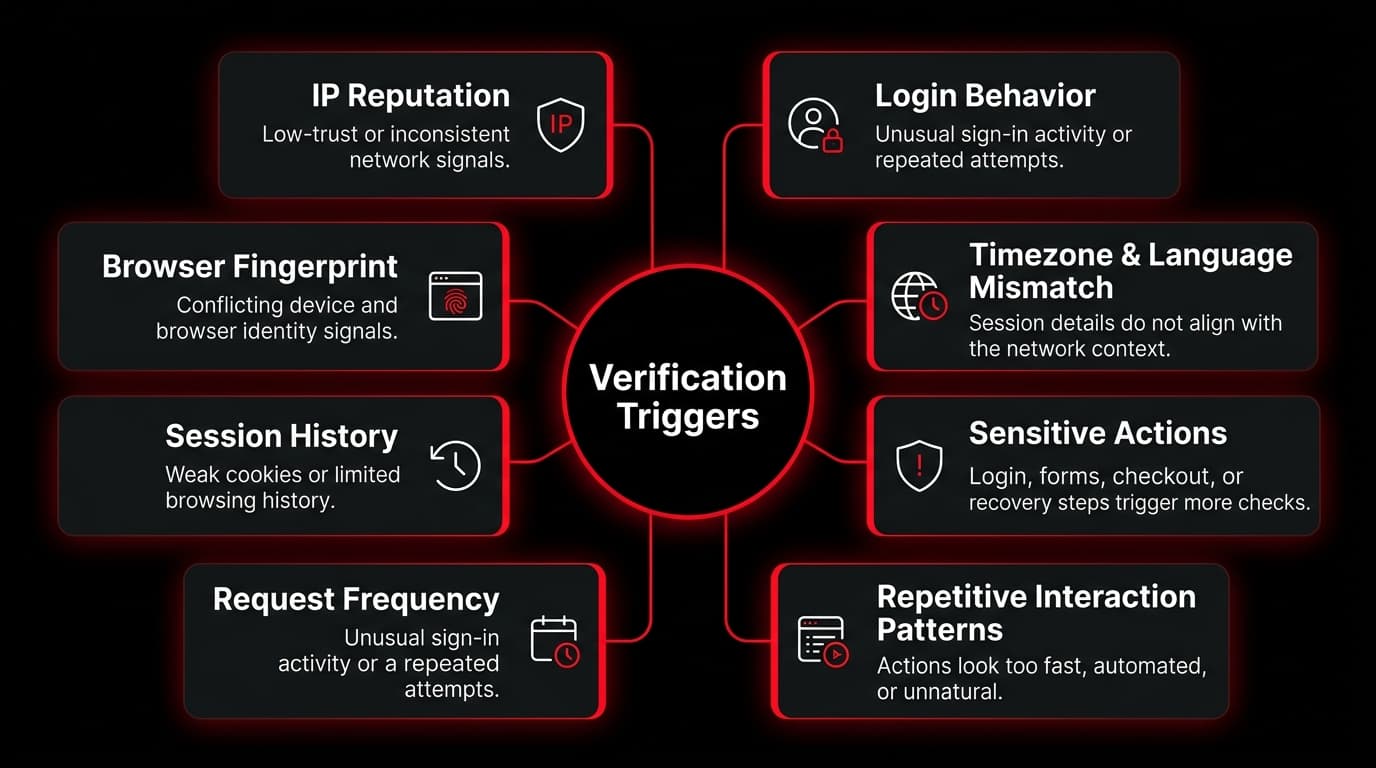
Proxy-based automation serves many legitimate purposes: testing sites from different countries, verifying ads in specific locations, monitoring public pages, managing client environments, or checking how platforms respond under different network conditions. But platforms do not evaluate only the IP address. They may also weigh:
Verification doesn't always appear because a proxy is weak. It can appear because the browser profile is inconsistent, the workflow is too fast, the session has no history, or the action is sensitive. A workflow may load public pages cleanly but trigger a check during login, checkout, account recovery, registration or form submission — higher-risk actions platforms guard more closely. Proxies manage network identity; they do not remove the need for verification handling.
CAPTCHA as a scaling bottleneck
At small volume a CAPTCHA looks minor — a user solves it and continues. In scaled automation that approach breaks. When a workflow runs continuously, even a few verification events cause sessions to wait, tokens to expire, scripts to retry too aggressively, and reports to show false failures. The impact compounds:
The real issue is not only whether a CAPTCHA can be solved — it is whether verification can be handled in a controlled, measurable and repeatable way. That is why CAPTCHA handling should be treated as infrastructure.
Where CAPTCHA handling fits in the stack
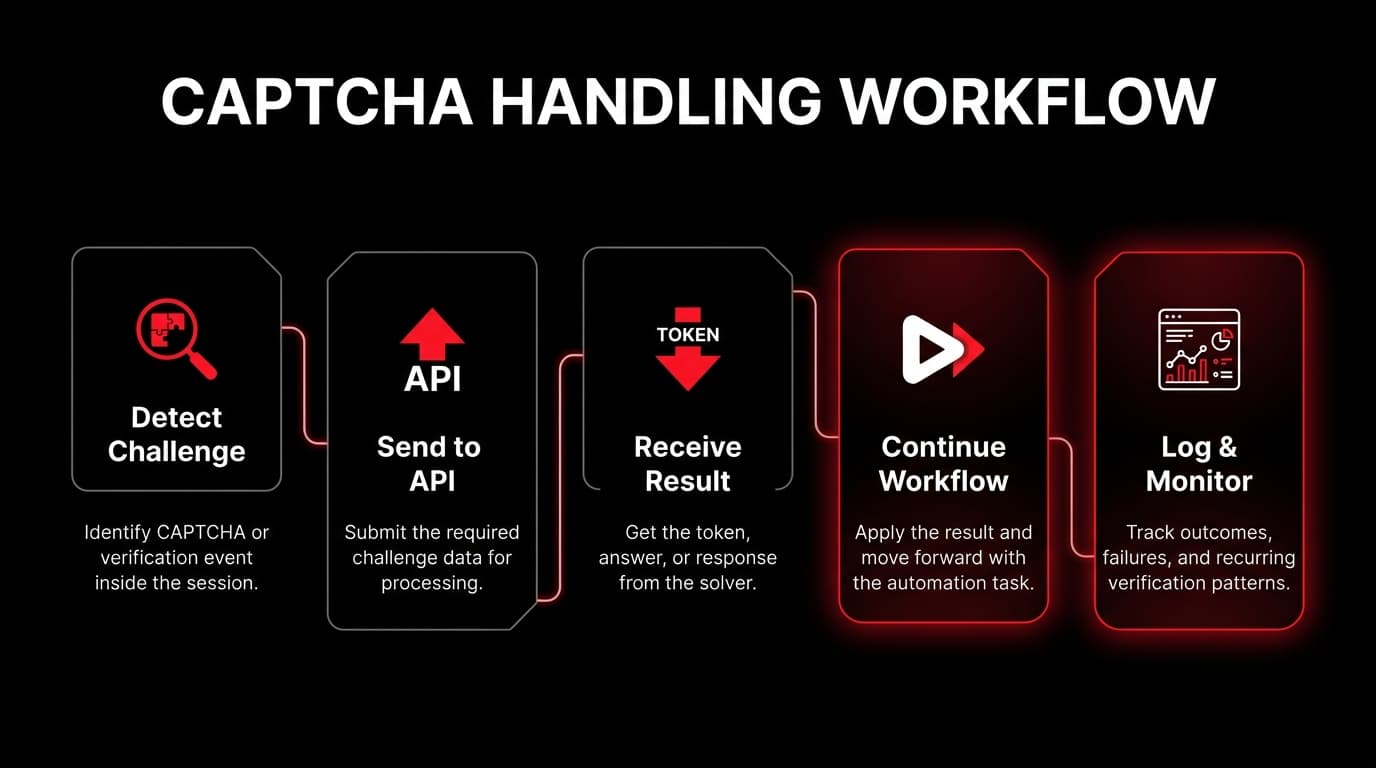
A scalable workflow should include a dedicated verification layer responsible for detecting challenges, identifying their type, sending the required data to a solving process, receiving the result, and passing it back to the workflow. A strong verification layer includes:
This turns “task failed” into something you can actually diagnose:
- →If CAPTCHA appears mainly in one GEO, the proxy pool may need review.
- →If challenges cluster on login, the session behavior may need adjustment.
- →If one profile group triggers more checks, the fingerprint setup may be inconsistent.
- →If tokens expire before use, the queue logic may need improvement.
- →If challenges increase after a site update, detection logic may need updating.
CAPTCHA handling becomes more than a solving mechanism — it becomes a diagnostic layer.
What CaptchaAI does in this workflow
CaptchaAI is an AI-powered CAPTCHA recognition and solving service for developers and businesses that need automated CAPTCHA handling through an API. It supports common challenge types seen in automation — image CAPTCHA, reCAPTCHA, Cloudflare Turnstile, Cloudflare Challenge, GeeTest, BLS Captcha, Solve Media and other image-based challenges. In a proxy-based stack it acts as the verification layer: the automation detects the challenge, sends the required data through the API, receives the result, and continues.
The role matters. A solving service does not replace proxies, antidetect browsers or good workflow design — it supports them. Proxies manage network identity, browser profiles manage digital identity, automation tools execute the workflow, and CAPTCHA handling keeps it moving when verification appears.
Common CAPTCHA types in automation workflows
Treating all challenges the same is one of the most common mistakes. Each type may need a different approach — some need only image recognition, others depend on browser context, tokens, cookies, IP consistency or User-Agent matching.
| CAPTCHA type | Where it appears | Why it matters |
|---|---|---|
| Image CAPTCHA | Forms, older systems, custom websites | Usually requires text or image recognition. |
| reCAPTCHA v2 | Login, signup, checkout, protected forms | Often requires token-based solving. |
| Invisible reCAPTCHA | Background verification on forms | May trigger without a clear visible challenge. |
| reCAPTCHA v3 | Risk-score-based verification | Depends heavily on session behavior. |
| Cloudflare Turnstile | Sites using Cloudflare protection | Can appear as a visible or invisible challenge. |
| Cloudflare Challenge | Full-page protection flow | May require session, cookie, and User-Agent consistency. |
| GeeTest | Interactive or slider-style verification | Common in some web and app environments. |
| BLS Captcha | Grid-based numeric challenges | Requires structured image interpretation. |
A reliable setup identifies the challenge type before deciding how to respond.
The link between proxies and CAPTCHA handling
Proxies and CAPTCHA solving are different layers, but they interact. A proxy controls the session's network environment; CAPTCHA handling deals with the verification event. Some challenges depend on IP consistency or session context, so the two layers must stay aligned. If a challenge is tied to the browser session that loaded the protected page, the verification response may need to match the same session conditions — use one IP for the browser and another for the solving process, and certain challenges fail.
Don't think of CAPTCHA solving as something separate from the stack. Connect proxies, browser profiles, automation logic and verification handling into one controlled workflow. The goal isn't simply to solve more challenges — it's to keep sessions stable and workflows predictable. For the network layer, a clean, consistent mobile or residential IP from Proxies.sx gives the session a trustworthy starting point.
Practical examples
Affiliate campaign monitoring
An affiliate team monitoring campaigns across GEOs — landing pages, redirects, offer availability, tracking links, localized behavior — runs GEO-targeted proxies, Playwright/Selenium automation, separate profiles per region, scheduled checks, screenshots, redirect-chain monitoring and error reporting. At low volume it's smooth; as offers, GEOs and checks grow, reCAPTCHA, Turnstile and image CAPTCHA start appearing. Without handling, the team sees incomplete reports, broken screenshots, false “offer unavailable” messages, manual queues and delayed decisions. With a verification layer, CAPTCHA events are detected, logged and reviewed — separating real campaign issues from verification interruptions.
Multi-account management
Multi-accounting depends on separation and consistency — each account with its own proxy, profile, cookies, device signals and activity pattern. Challenges appear during login, recovery, posting or sensitive actions. Handle them manually and the workflow slows; ignore them and accounts fail key actions; retry too hard and you create more friction. A better workflow tracks which account triggered the challenge, which proxy and profile were active, which action caused it, which CAPTCHA type appeared, whether it solved, and whether the same issue repeats. CAPTCHA handling gives continuity; good logging gives strategy.
Web scraping and data collection
Scrapers face verification when request patterns get repetitive or sessions look unnatural. A basic scraper that only chases speed — many requests, IP rotation with no session logic, ignored cookies, instant retries — increases verification and makes debugging hard. A stable workflow adds rate limits, rotation rules, session persistence, browser rendering when needed, CAPTCHA detection, backoff timing, error classification and data quality checks. When a challenge appears it shouldn't blindly retry — it should classify first (Turnstile? image CAPTCHA? full-page Cloudflare? blocked or just slow?) and then decide whether to solve, wait, rotate, pause or flag. That's the difference between basic and scalable automation.
Common mistakes proxy users make
Assuming better proxies fix everything
A strong proxy network matters, but it cannot fix poor browser identity, unrealistic timing, weak retry logic, or missing CAPTCHA handling.
Rotating IPs during sensitive actions
Rotation helps some public-data workflows, but it hurts actions that need continuity — login, checkout, dashboard access, and account recovery.
Treating every CAPTCHA the same
Image CAPTCHA, reCAPTCHA, Turnstile and Cloudflare Challenge behave differently. A generic retry loop is not enough.
Ignoring CAPTCHA rate
CAPTCHA rate is an infrastructure signal. If it rises, investigate the cause instead of only increasing solving volume.
Running without proper logs
A failed task without context is almost useless. Logs should show proxy, GEO, browser profile, page URL, challenge type, timestamp, and result.
Scaling too quickly
A workflow that works at low volume may fail higher up. Increase load gradually while watching success rate, latency, and verification events.
Best practices for proxy-based automation
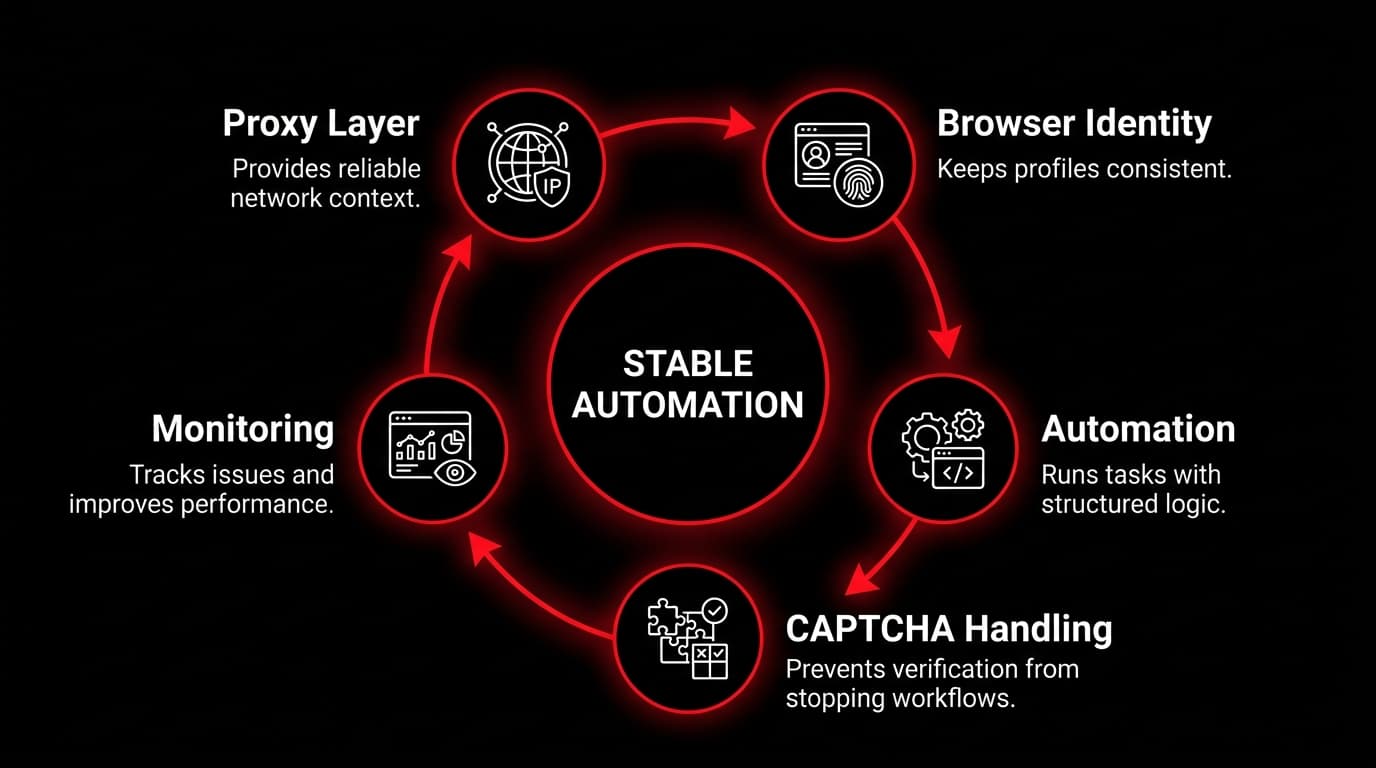
A stable stack is designed around consistency and visibility.
- Keep sessions consistent. Avoid changing IPs during sensitive actions unless the workflow is designed for it — login, recovery, dashboards and protected pages often need continuity.
- Match browser identity with network context. Timezone, language, User-Agent, cookies and proxy location should tell one consistent story; contradictions increase verification.
- Track CAPTCHA events. Measure where challenges appear — by proxy group, GEO, profile, account type, page type and workflow stage.
- Use controlled retries. Avoid instant repeats; use clear retry limits, backoff timing and failure classification.
- Separate challenge types. Detection should be specific enough to identify exactly what appeared.
- Monitor completion rate. The most useful metric isn't requests sent — it's workflows completed successfully.
- Keep use cases responsible. Use automation for legitimate, authorized work — QA, monitoring, SEO checks, ad verification, market research and approved business processes.
How to evaluate before integrating
Before adding any CAPTCHA-handling layer to production, test it under realistic conditions: the challenge types most common in your workflow, the same proxy setup you actually run, production-like browser profiles, expected concurrency, timeout and retry behavior, error handling, logging quality and workflow-completion behavior. Don't test only one simple challenge — real environments mix pages, regions, proxy groups, browser states and challenge types.
Teams that want to evaluate CaptchaAI can join the community channel and request a trial, or join the Discord for updates and support:
SEO, traffic arbitrage and ad verification
These workflows lean heavily on location, repetition and accurate session context. SEO teams monitor local SERPs, indexing and technical fixes across regions; traffic-arbitrage teams test landing pages, redirects and funnel behavior across GEOs; ad-verification teams confirm ads render correctly per location and watch competitor activity. In all three, verification challenges can break the data unless they're detected and handled.
A complete workflow combines proxies for routing and location context, browser profiles for session consistency, automation scripts for execution, CAPTCHA handling for verification events, and logs for diagnosis. That's the real connection between proxies and CAPTCHA solving: different problems, often solved together.
The future of CAPTCHA handling
Verification is becoming adaptive — platforms increasingly evaluate behavior, browser signals, session history and network context instead of simple image challenges. Future-ready setups will lean on better challenge detection, proxy-aware verification logic, AI-assisted failure classification, smarter retry strategies, session-based decisions, stronger monitoring and careful concurrency planning, with proxies, browsers and verification APIs working closely together.
The teams that scale successfully won't be the ones that simply add more proxies, profiles or threads. They'll be the ones that understand why workflows fail and design each layer to support the others.
Conclusion
Proxy-based automation in 2026 requires more than IP rotation. It requires a complete infrastructure approach built around network identity, browser consistency, workflow logic, CAPTCHA handling and monitoring. Proxies control where traffic comes from; antidetect browsers separate digital identities; automation tools execute the task; CAPTCHA handling keeps workflows moving when verification appears; monitoring shows what needs improvement.
For affiliate marketers, traffic-arbitrage teams, SEO specialists, ad-verification operators, scraping teams, developers and multi-account managers, CAPTCHA shouldn't be a random obstacle — it's a measurable infrastructure layer. Design network identity, browser identity, automation logic and verification handling together, and workflows become easier to scale, easier to debug, and more reliable under pressure.
Frequently asked questions
Platforms do not evaluate the IP alone. They also weigh IP reputation, request frequency, browser fingerprint, cookies and session history, timezone/language consistency, User-Agent behavior, login patterns and page-interaction speed. Verification can appear because the browser profile is inconsistent, the workflow is too fast, the session has no history, or the action itself (login, checkout, registration) is sensitive — not only because a proxy is weak.
No. A solving service supports them. Proxies manage network identity, browser profiles manage digital identity, automation tools execute the workflow, and CAPTCHA handling helps the workflow continue when verification appears. They solve different problems and often need to work together — for example when a challenge depends on IP or session consistency.
CaptchaAI is an AI-powered CAPTCHA recognition and solving service for developers and businesses that need automated CAPTCHA handling through an API. It supports common challenge types including image CAPTCHA, reCAPTCHA, Cloudflare Turnstile, Cloudflare Challenge, GeeTest, BLS Captcha, Solve Media and other image-based challenges, and can act as the verification layer in a proxy-based automation stack.
At scale, even a small number of verification events causes waiting sessions, expired tokens, aggressive retries, false failures and higher proxy cost. The real question is not only whether a CAPTCHA can be solved but whether verification is handled in a controlled, measurable and repeatable way — which makes it a diagnostic layer that reveals how automation behaves under real conditions.
Generally no. Rotation can help some public-data workflows, but sensitive actions — login, checkout, dashboard access, account recovery — usually need stable session behavior. Changing IPs mid-session can increase verification or invalidate challenge responses tied to the original session.
Start with a clean network layer
Consistent, trustworthy 4G/5G mobile and residential IPs are the foundation a stable automation stack is built on. 100+ countries, $4/GB, free endpoints and rotation.